
For smart lock importers and distributors, certification documents can affect customs clearance, product listing and project approval. Before ordering, buyers should confirm that the documents are valid and actually cover the model being purchased.
This guide explains the main CE, RED, RoHS and FCC requirements smart lock buyers commonly encounter and how to check a supplier\’s documents before mass production.
CE, RED, RoHS and FCC for Smart Locks
Different requirements apply depending on the target market and whether the smart lock includes Bluetooth, Wi-Fi or other radio functions.
| Document | Market / Purpose | What Buyers Should Check |
|---|---|---|
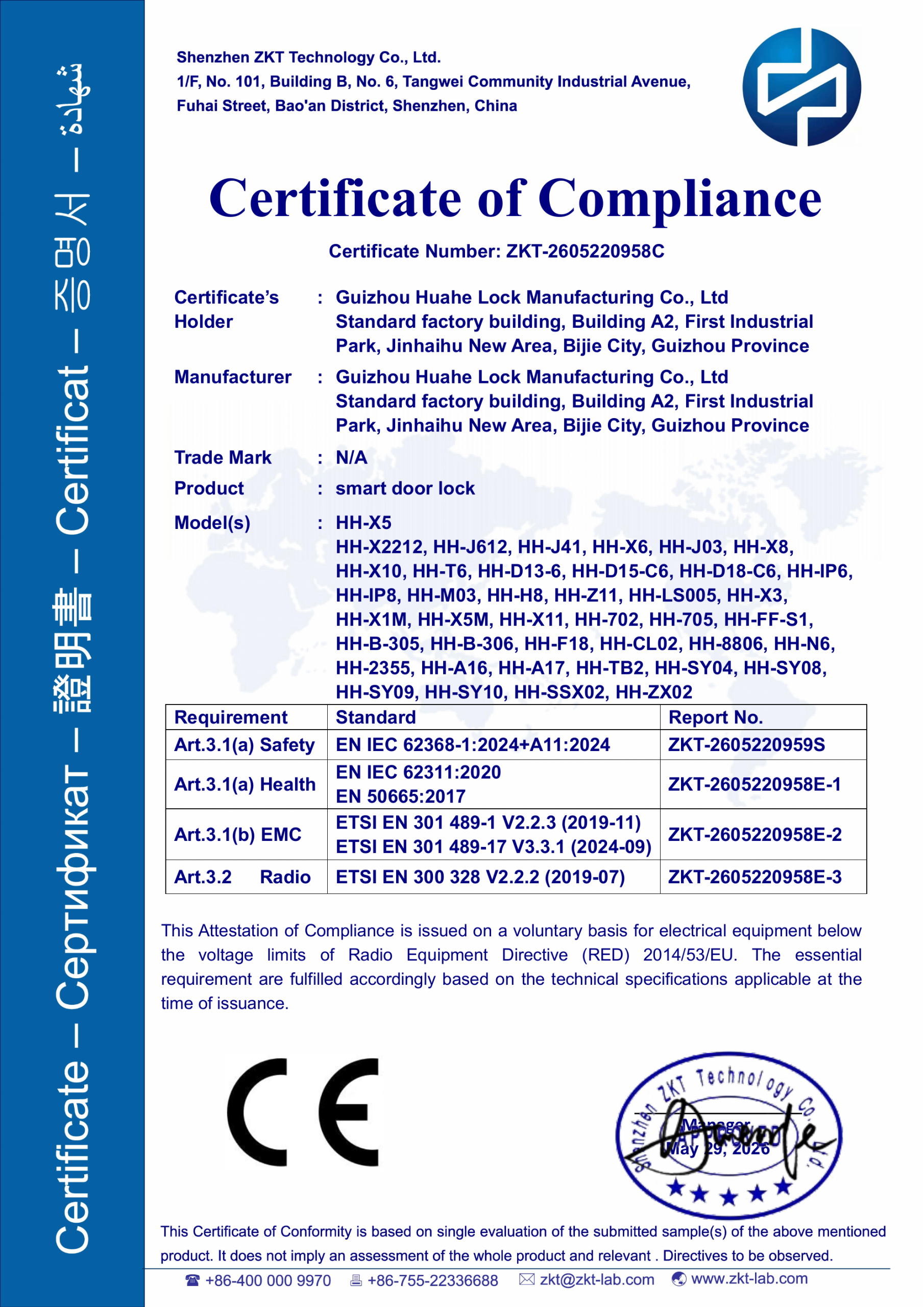
| CE | European Union | Applicable legislation, Declaration of Conformity and model scope |
| RED | EU radio equipment such as Bluetooth and Wi-Fi locks | Wireless model coverage and applicable RED documentation |
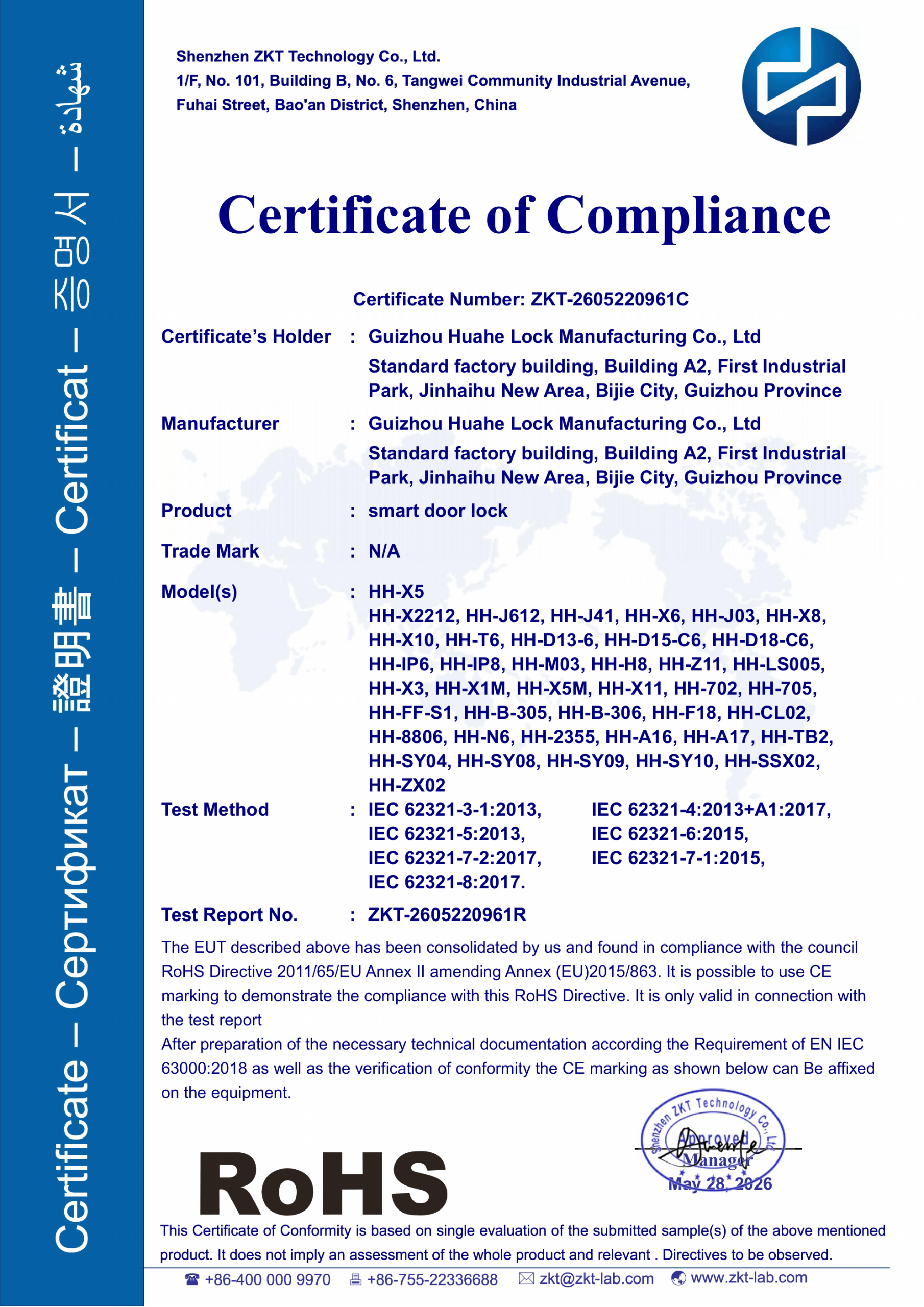
| RoHS | EU restriction of hazardous substances | Documentation covering the electronic product or applicable components |
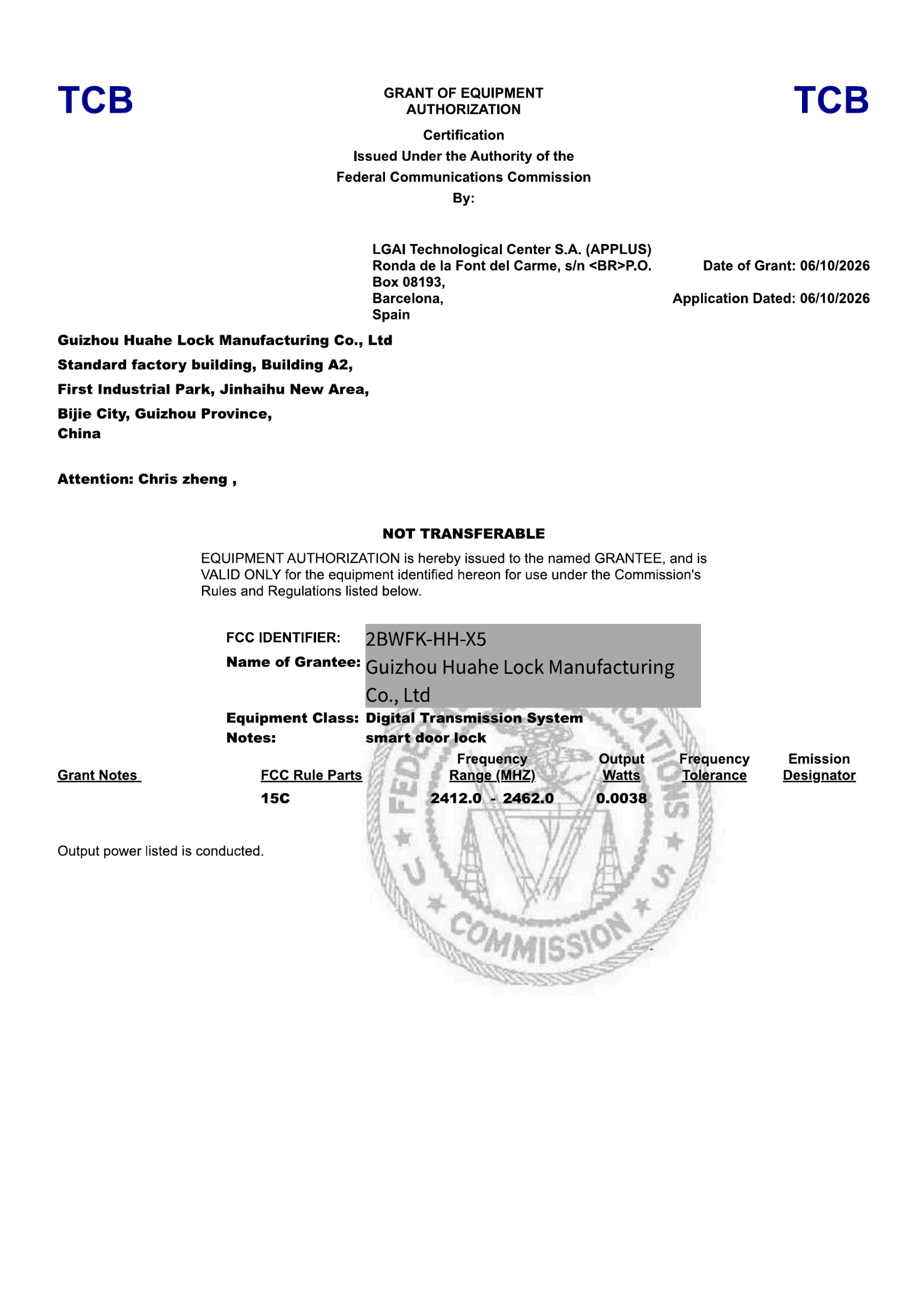
| FCC | US radio-frequency devices | FCC ID and equipment authorization for applicable wireless devices |
Wireless and non-radio locks should not be treated as the same compliance case. In the EU, radio equipment is covered by the Radio Equipment Directive (RED), while RoHS addresses restricted substances. Requirements should always be confirmed for the exact product configuration and destination market.
HUAHE LOCK Certification Documents
Below are examples of HUAHE LOCK certification documents. Click an image to review the corresponding PDF.
How to Audit Smart Lock Certification Documents
Before placing a bulk order, use these four checks to review the supplier\’s compliance documents.
1. Check Validity and Scope
Check the certificate holder, model scope, standards, issuer and validity information. Be cautious with expired documents, edited files or certificates that do not clearly identify the covered products.
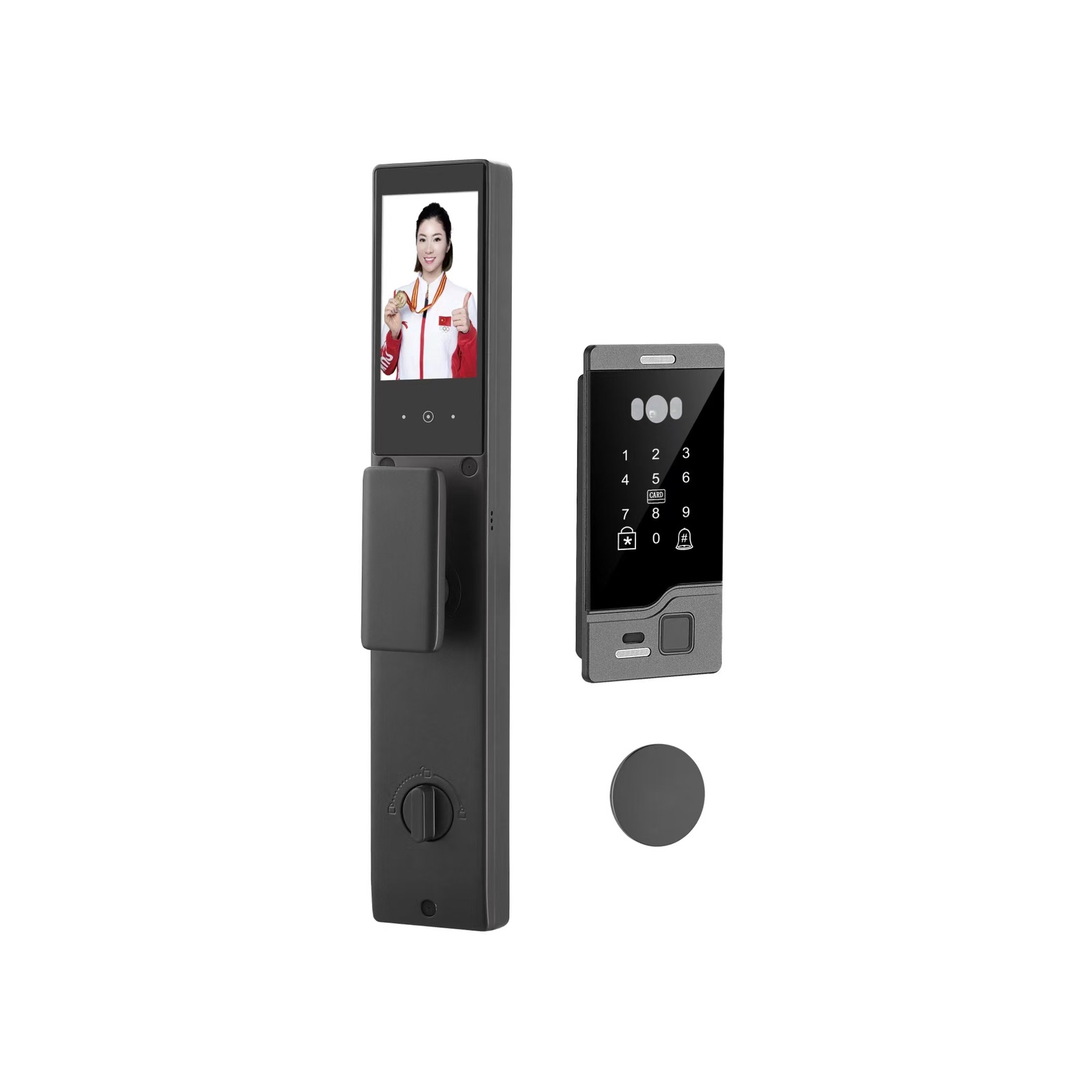
2. Match the Exact Smart Lock Model
Compare the model number on the document with your quotation, sample and purchase order. A certificate for a similar lock does not automatically cover the product you are buying.
3. Request Supporting Documents
Ask for relevant test reports and the Declaration of Conformity where applicable. The supporting documentation helps confirm the standards tested and the models covered.
4. Verify Information Independently
For applicable US wireless products, search the FCC ID in the FCC equipment authorization database and compare the listed information with the supplier\’s documents.
For repeat orders, also confirm that important specifications such as the radio module or hardware configuration have not changed since the documents were approved.
Smart Lock Certification Buyer Checklist
- Confirm the target country\’s requirements.
- Match the certificate to the exact model.
- Check certificate scope and supporting reports.
- Verify FCC IDs or other available authorization information.
- Confirm documents again if the product specification changes.
HUAHE LOCK supports importers, distributors, door factories and project buyers with model-specific certification information. If your project also requires private labeling or product configuration changes, see our smart lock OEM/ODM guide.
Frequently Asked Questions
What certification documents should I request before ordering?
Request the documents applicable to your market, supporting reports where available, and confirmation of the exact models covered.
How do I check an FCC ID?
Search the FCC ID in the official FCC equipment authorization database and compare the listed company and product information with the lock you intend to purchase.
Does one certificate cover every smart lock from a factory?
No. Coverage depends on the scope stated in the document. Always confirm that the exact model and configuration you order are included.
Pingback: Smart Lock OEM/ODM Guide for Distributors - HUAHE LOCK
Pingback: How to Choose a Smart Lock Manufacturer in China: A Sourcing Guide for Importers and Distributors - HUAHE LOCK
Pingback: Smart Locks for Aluminum and Broken-Bridge Doors: A Buyer’s Selection Guide - HUAHE LOCK